Recordings
Terminay can record terminal sessions to local asciicast v3 files. Recording is off by default so new terminals only capture activity after you opt in or start a session manually.
Storage Format and Location
Recordings are saved as local .cast files using the asciicast v3 format. The default directory is ~/Documents/TerminaySessions/YYYY-MM-DD, with sessions grouped by the day they were created.
Because recordings are ordinary local files, you can archive, move, or back them up with your normal file tools. Terminay keeps its timeline pointed at the configured recording folder.
Automatic Recording
Open Settings > Recording to control recording behavior. Enable automatic recording when you want Terminay to start capturing each new terminal as soon as it opens.
Automatic recording only applies to new terminals. Existing terminal tabs keep their current recording state until you start or stop them directly.
Manual Sessions
Use a terminal tab's context menu to start or stop recording for that one session. This is useful when automatic recording is disabled, or when you only want to capture a specific command sequence.
Each manual start creates a separate recording file for that terminal session. Stopping the session finalizes the local asciicast file and makes it available in the recordings timeline.
Timeline
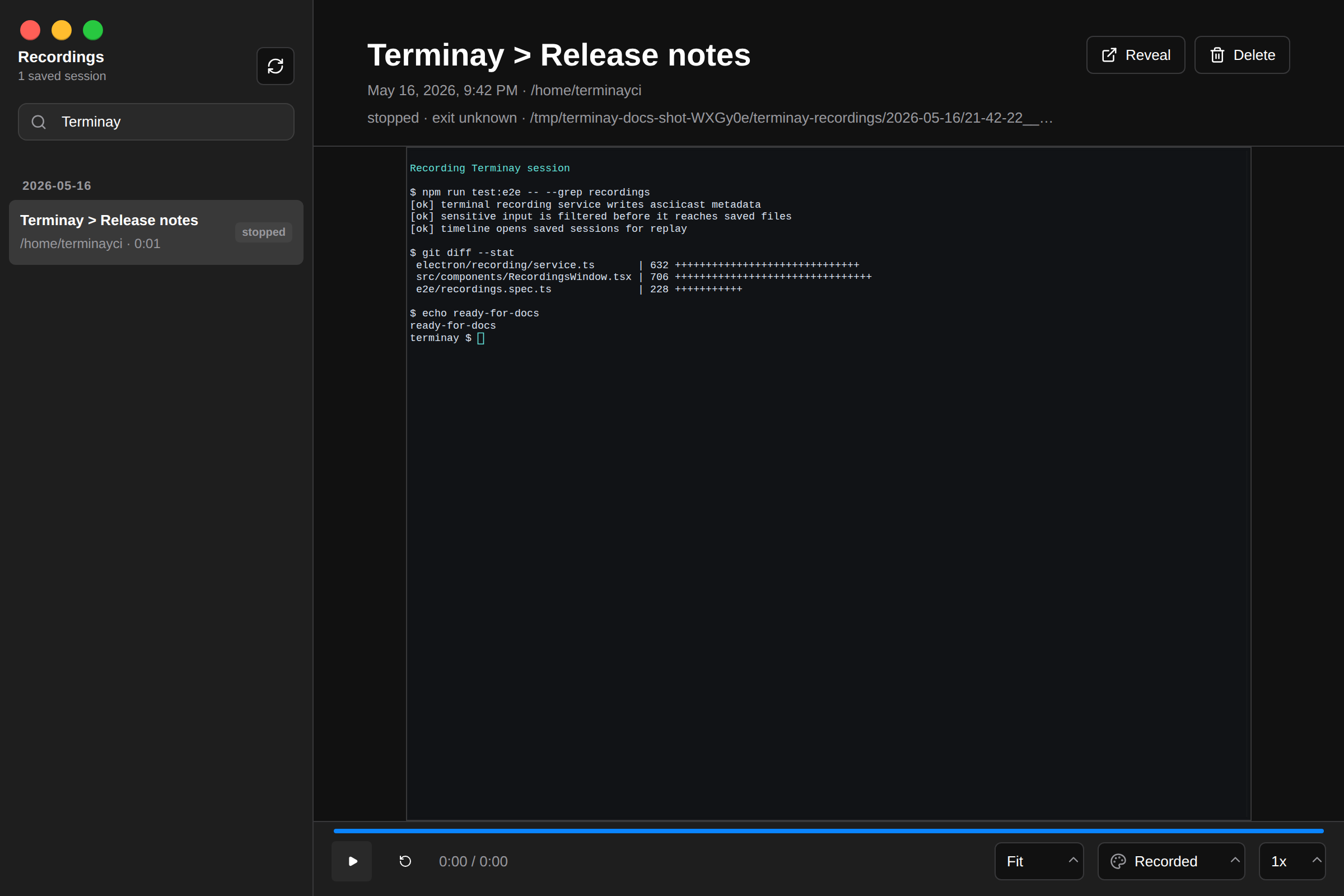
The recordings timeline lists saved sessions so you can review them after the terminal work is done. From the timeline you can replay a recording, search its captured output, reveal the underlying file in your file manager, or delete the recording.
Search helps find commands and output inside recorded sessions. Replay follows the timing captured in the asciicast file so you can see the session unfold as it happened.
Privacy
Terminal recordings can include commands, output, prompts, pasted text, and other visible terminal content. Treat them as sensitive when sessions may contain passwords, tokens, private file paths, customer data, or other secrets.
Keep recording off for sensitive work, stop the current recording before entering secrets, and review files before sharing or syncing them outside your machine.