Workflows
A workflow is a checklist attached to one terminal. Launch it from a template, and the agent in that terminal works through the steps in order, reporting each one as running, done, failed, or waiting on you. Terminay draws the progress beside the terminal and never runs a step itself.
Templates
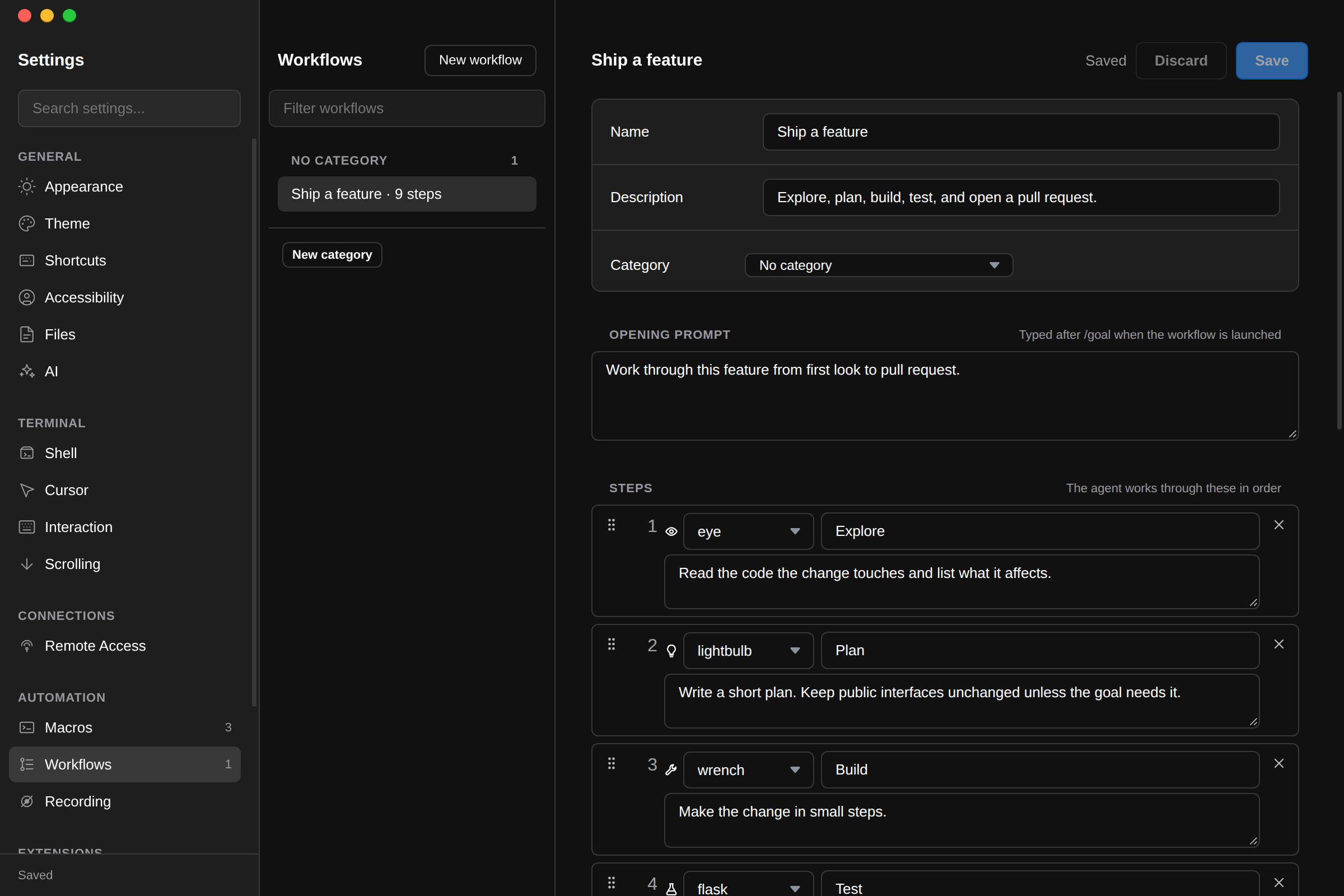
Workflow templates live in Settings under Automation → Workflows. Choose New workflow and fill in:
- Name, Description, and an optional Category.
- Opening prompt: the goal the whole workflow serves.
- Steps: one to 50, each with a title, a prompt, and an optional icon such as an eye, a lightbulb, a wrench, a flask, a bug, or a pull request. Drag a step's handle to reorder it, or focus the handle and press Alt+↑ or Alt+↓.
The editor shows the exact text launching the template will type into the terminal. Templates belong to the server you pick in the Settings server selector, and are shared by every device attached to it. Their order in Settings is their order in the Command Bar. Filter the list by any name, prompt, or step.
Launching A Workflow
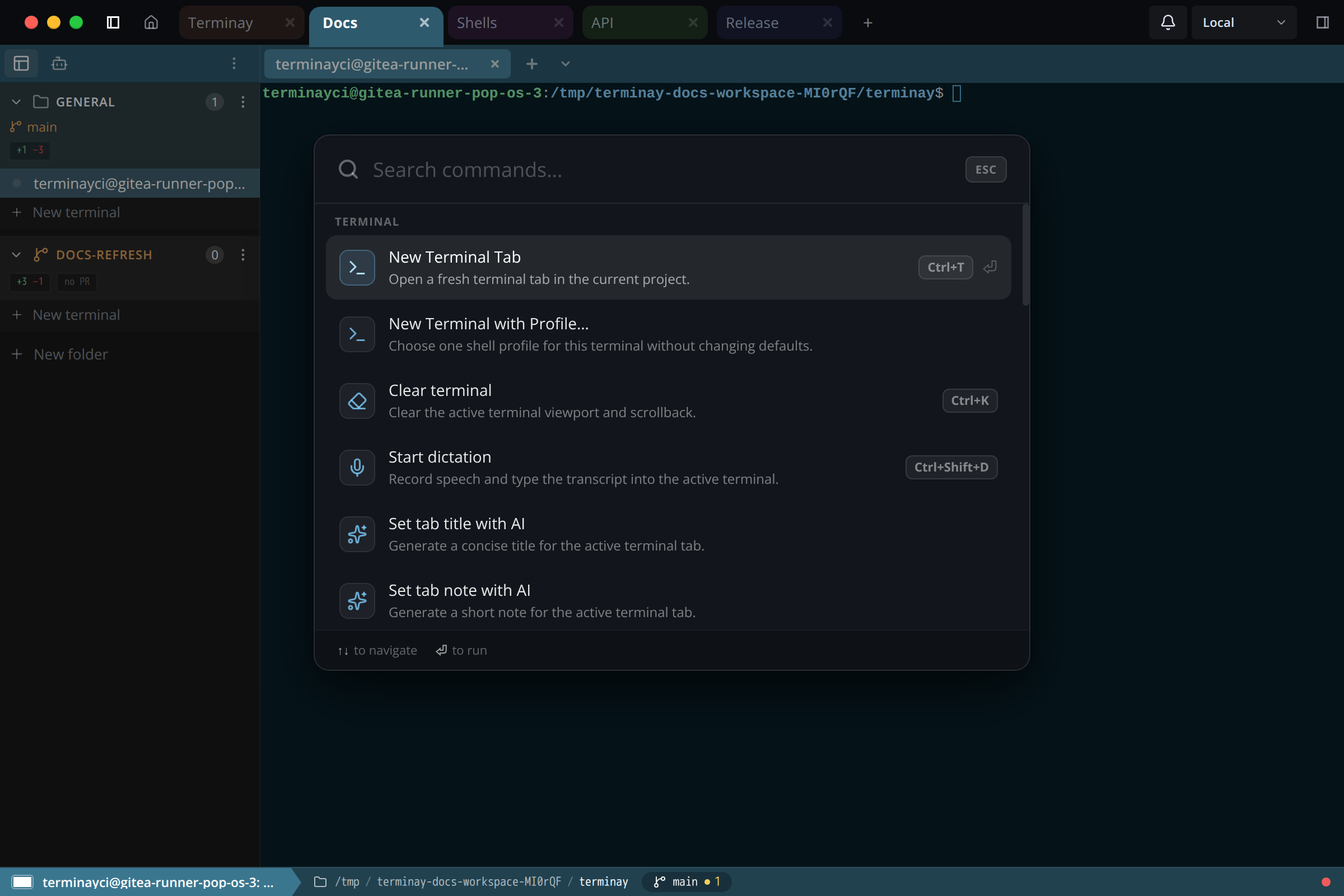
Focus the terminal that runs your agent, open the Command Bar, and choose a template. It is listed under its category, or under Workflows when it has none. Terminay attaches a copy of the template to that terminal with every step not started, then pastes one line into the terminal and submits it:
/goaland the template's opening prompt;- an instruction to call
get_workflow, work through the steps in order, set each to running before starting it, and mark it done with a one-line note, failed with the reason, or needs input when it needs you.
The agent needs Terminay MCP installed to report progress. A terminal holds one workflow at a time; launching another over an unfinished one asks you first, naming the one it would replace. Later edits to a template never change a workflow already launched from it.
The Workflow Panel
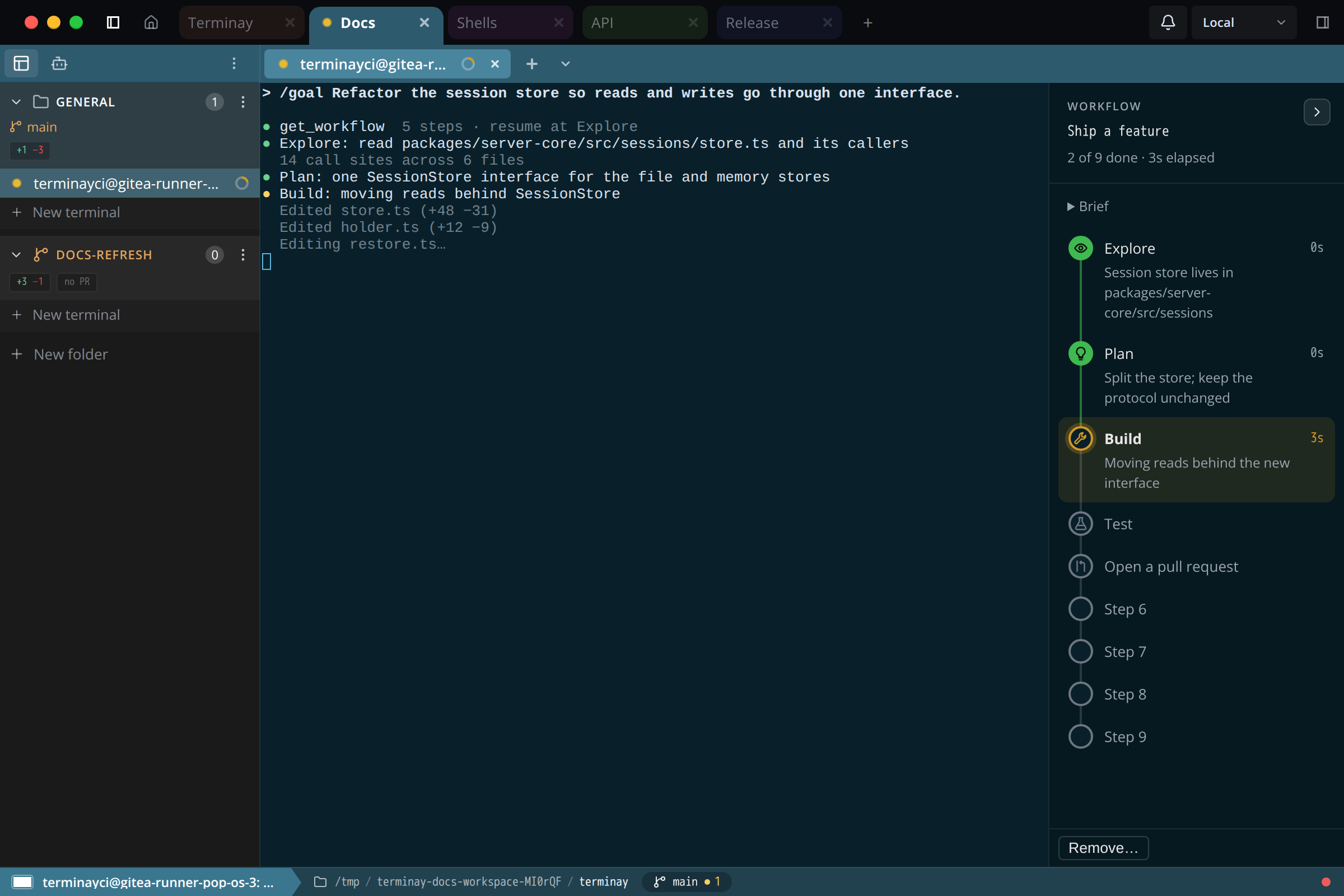
A terminal with a workflow shows a panel along the right edge of its pane. The terminal ends to the left of it, so nothing is covered.
- Expanded: the workflow's name, how many steps are done, the time since the first step started, the opening prompt as a collapsible brief, and each step's title, duration or running time, and note. The current step is highlighted.
- Collapsed: a narrow rail of one marker per step, joined by a line, with the workflow's name along the bottom. Markers are green when done, amber while running, red when failed or waiting on you, and grey before they start.
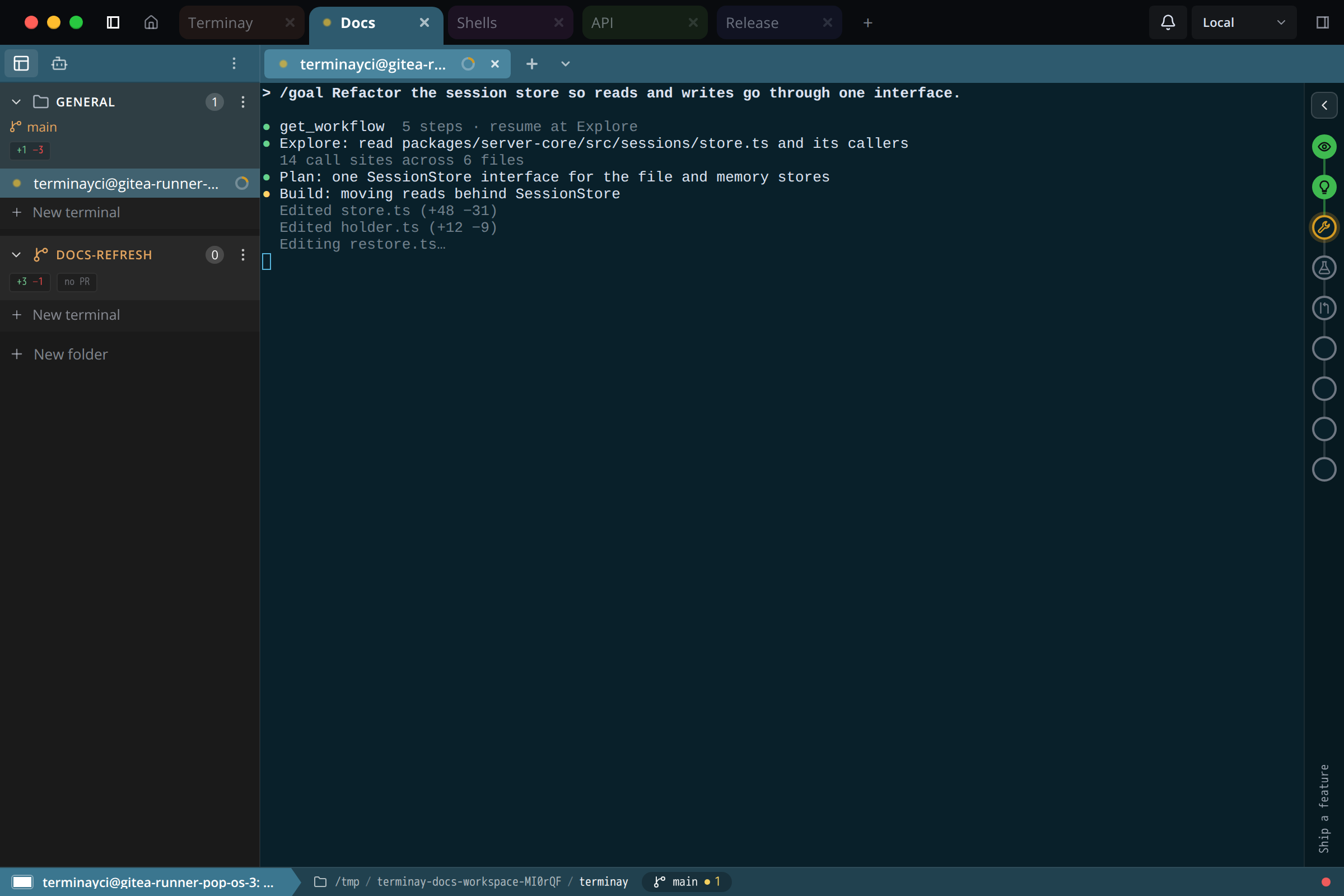
The collapse control applies to every terminal on this device. A pane too narrow for the expanded panel beside a 60-column terminal shows the rail, and expanding it there opens the panel over the terminal until you press Escape or click back into the terminal. The terminal's tab shows done steps over total, with a red marker while a step has failed or needs you.
Lifetime
A workflow lasts as long as its terminal session. It follows the terminal when you move it to another project, survives server restarts while the terminal keeps running, and ends when the terminal closes. Remove it from the panel to end it without touching the terminal.
Workflows Over MCP
Agents use these Terminay MCP tools. Each acts on the calling terminal unless it names another one within its reach, and addresses steps only by id.
| Tool | What it does |
|---|---|
get_workflow | Reads the terminal's workflow: every step with its status, note, and times, and the step to resume from. |
update_workflow_step | Sets a step to not_started, running, done, failed, or needs_input, with an optional one-line note. Only one step can be running or waiting on you at a time. |
create_workflow | Attaches a workflow, either a copy of a template by template_id or one the agent writes itself. Nothing is typed into the terminal. |
list_workflow_templates, get_workflow_template | Read the server's templates. |
create_workflow_template, update_workflow_template, delete_workflow_template | Change templates, exactly as Settings does. These are in the Workflow Templates permission group, which asks you first by default. |
Pixel and agent chats can use the workflow tools too, naming the terminal they mean.
Workflows, Macros, And Automations
A macro types steps into a terminal for you. An automation starts on its own from a schedule or an event. A workflow is a plan an agent follows and reports on; Terminay only keeps score.